Version Everything (Even the Files You Don't Control)
Before starting any software project, the first rule I give my team is to version everything. Most people think of versions only for software releases. But I want versions on literally everything in the project, no matter which department it comes from — proposals, design documents, Figma designs, information architecture, change requests, and even the release notes.
You already know why versions are useful. A version marks a point in time where the content is stable, reviewed, or approved. It makes it easy to compare two versions and see what changed after an approval. And during a discussion, everyone can point to the same thing: "we're talking about v1.2", and not "the latest one I sent last week".
Every department should use versions
Developers already version their software releases. Most of the time the CI/CD pipeline generates the version number during the build, so nobody has to think about it. These version numbers then show up in Jira tickets, release notes, bug reports, and so on.
Other departments usually don't version their work. They aren't used to it, and it takes some manual effort. I still insist on it, because that small effort pays off many times later.
Example 1: UI/UX designs
A UI designer working in Figma may keep updating the same design over and over again for every change request that comes after the first approval. After a few rounds, nobody knows what was actually approved.
My rule is simple: once a design is reviewed or approved, give it a version number (like v1.0), and make a copy to continue working on the new changes. Never touch an approved version. When the copy gets approved, it becomes v2.0, and the next set of changes starts on yet another copy. Small changes get a minor version, like v2.1.
I also ask the designers to keep the versions side by side, so comparing them is easy. A change log is a great addition too, and my designers keep one all the time.
Example 2: Documents
Every document shared with the customer or the team must have a version in it. I usually keep a document at v0.1—DRAFT, v0.2—DRAFT and so on until it's approved, and the first approved version becomes v1.0. The document should also have a version history (or change log) that clearly explains which sections changed and what the changes were.
Once a version is approved, I note it in the project documentation or the Jira ticket — the version number, the date, and a link to the document in PDF format.
Note: Any versioning scheme works (like SemVer or CalVer), as long as everyone can clearly identify a document and refer back to it at that point in time.
Referencing files that don't have a version
Versions work great when you control the files. But sometimes I get files from another party that have no version, and I can't make them add one. I still need to refer to these files in my documents and tickets.
For example, the customer's design team may share an HTML mock or a PDF without a version. Later, their designer updates the mock and sends it again — with the same filename. Now there are two different files with the same name, and I need to know exactly which one my document is talking about.
In these cases, I use the file's SHA256 checksum instead of a version. A checksum is like a fingerprint of the file's content: if even a single byte changes, the checksum changes completely. I add the checksum to my document, upload the file next to the document in the online drive, and keep that copy there forever.
Example scenario — the first version
Let's say I'm working on a change request to add a timeline to the company history page, and the customer's design team shares a file called Company_History_Timeline.html.
First, I find the SHA256 checksum of the file:
# macOS
$ shasum -a 256 Company_History_Timeline.html
7e25874bb9e0e1cf3c29c5c402b484e3745e3e0fb2de623f18c15e232a83d31b  Company_History_Timeline.html

# Linux:              sha256sum Company_History_Timeline.html
# Windows PowerShell: Get-FileHash Company_History_Timeline.html
Then I add it to the document:
| Title | CR01 — Addition of Timeline in the Company History Page |
|---|---|
| Document Version | v1.0 (2026/10/25) |
| Version | Changes |
|---|---|
| v1.0 | First approved version |
...
...
Reference| File | Company_History_Timeline.html |
|---|---|
| Shared By | Customer Name Inc. design team |
| Date | 2026/10/23 |
| SHA256 | 7e25874bb9e0e1cf3c29c5c402b484e3745e3e0fb2de623f18c15e232a83d31b |
And I upload the HTML file to the online drive, right next to the document.
Now anyone can check that they have the right file. They just run the same command and compare the checksums. The best part is that the checksum depends only on the content, not the filename. Even if someone renames the file later, the checksum still matches.
Example scenario — an update
A week later, the design team sends a new version of the mock, again with the same filename. I find the new checksum and update the document like this:
| Title | CR01 — Addition of Timeline in the Company History Page |
|---|---|
| Document Version | v1.1 (2026/10/31) |
| Version | Changes |
|---|---|
| v1.0 | First approved version |
| v1.1 | Added support for embedding YouTube video on history milestones |
...
...
Reference| File | Company_History_Timeline.html |
|---|---|
| Shared By | Customer Name Inc. design team |
| Date | 2026/10/30 |
| SHA256 | 6da87d6ec40e459a6715ebf6f318522ef453bd74ca1de3d81ae9a772d9774479 |
Both copies of the file stay in the drive, and each version of my document points to exactly one of them. No more guessing which Company_History_Timeline.html we're talking about.
Edge case — live links
What if the customer shares a link instead of a file? For example, a link to a Figma design, a Google Doc, or some online tool. These can be edited anytime, even after I've referenced them in my document, and the link always shows the latest state.
In that case, I take a snapshot: export it as a PDF or take screenshots, and add those to the document along with their SHA256 checksums. That way, I always have a record of what the link looked like when I referred to it.
Wrapping up
Versioning everything has helped me a lot in managing software projects. I can track every change, and more importantly, avoid a lot of conflicts and confusion with the team and the customer.
It takes a little discipline in the beginning, but once the team gets used to it, it becomes second nature. And you'll never have to ask "which one is the final file?" again.
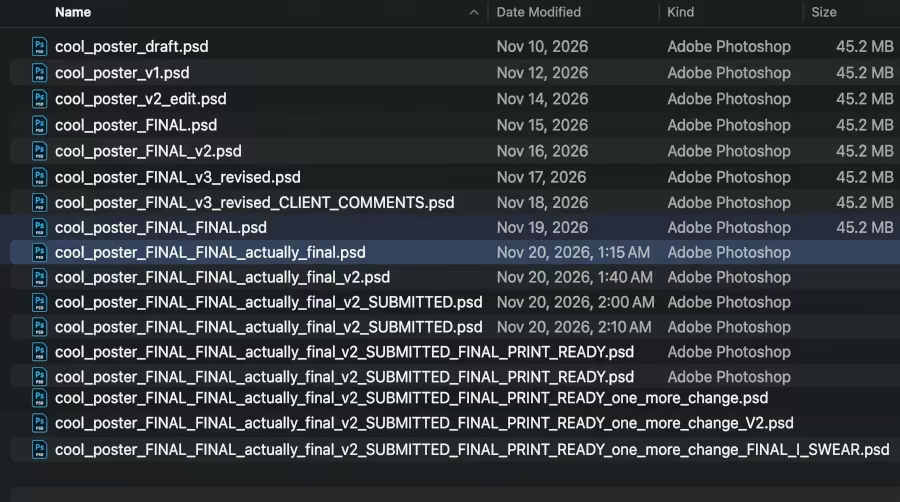 I remembered this classic meme while writing this post :)